To access the Cubes section of a Data Model, access the designer space of the desired Data Model and click on the Cubes tile.
In the Cubes page, you can see all existing Cubes in the Data Model and their main information: the table is sortable and searchable using the interactive header fields. You can also show or hide columns to your liking, by clicking the Column chooser button in the upper right corner of the table.
What is a Cube?
A Cube is Board's primary data storage element. It stores data (such as sales, budgets, inventory, or forecasts) across multiple dimensions like Time, Product, Customer, or Region (usually Entities, but also entire Relationships), providing different perspectives on data. These dimensions determine the data granularity and the ability of the Cube to show, drill, slice, and dice data.
What does a cell of a Cube represent?
A cell is the intersection of the Cube’s dimensions and is the smallest element within a Cube.
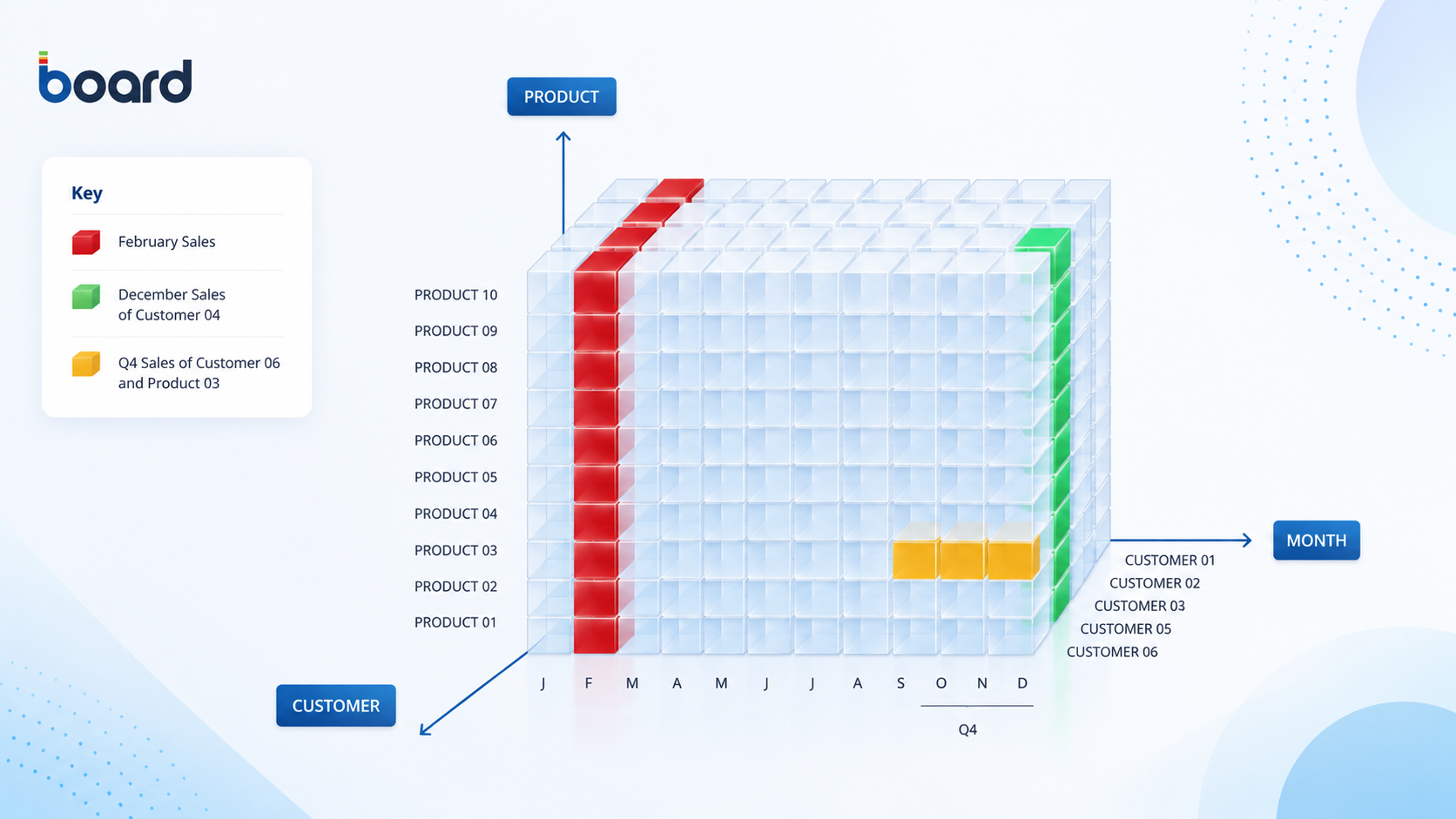
When a dimension of a Cube is part of a Relationship, the Cube can be viewed at any aggregation level of said Relationship. You can easily build views for every possible intersection of two or more Entities that belong to different Relationship trees.
For example, a Sales Amount Cube which has the dimensions Month, Product, and Customer can be viewed based on any of its dimensions (axes), such as total sales by Product, total sales by Month, or by Customer, as well as based on any of the intersections of its dimensions, such as sales by Product in a given Month or for a given Customer.
You can view total sales by:
Quarter or Year, as they are aggregations of the Month Entity.
City or State, as they are aggregations of the Customer Entity.
Product Group or Product Type, as they are aggregations of the Product Entity.
What can I do in the Cubes page?
The Cubes page in Board is a central hub for managing all the Cubes within your Data Model. It provides a range of features to help you organize, edit, and review every Cube in detail.
Read more in Create a Cube and Manage Cubes.
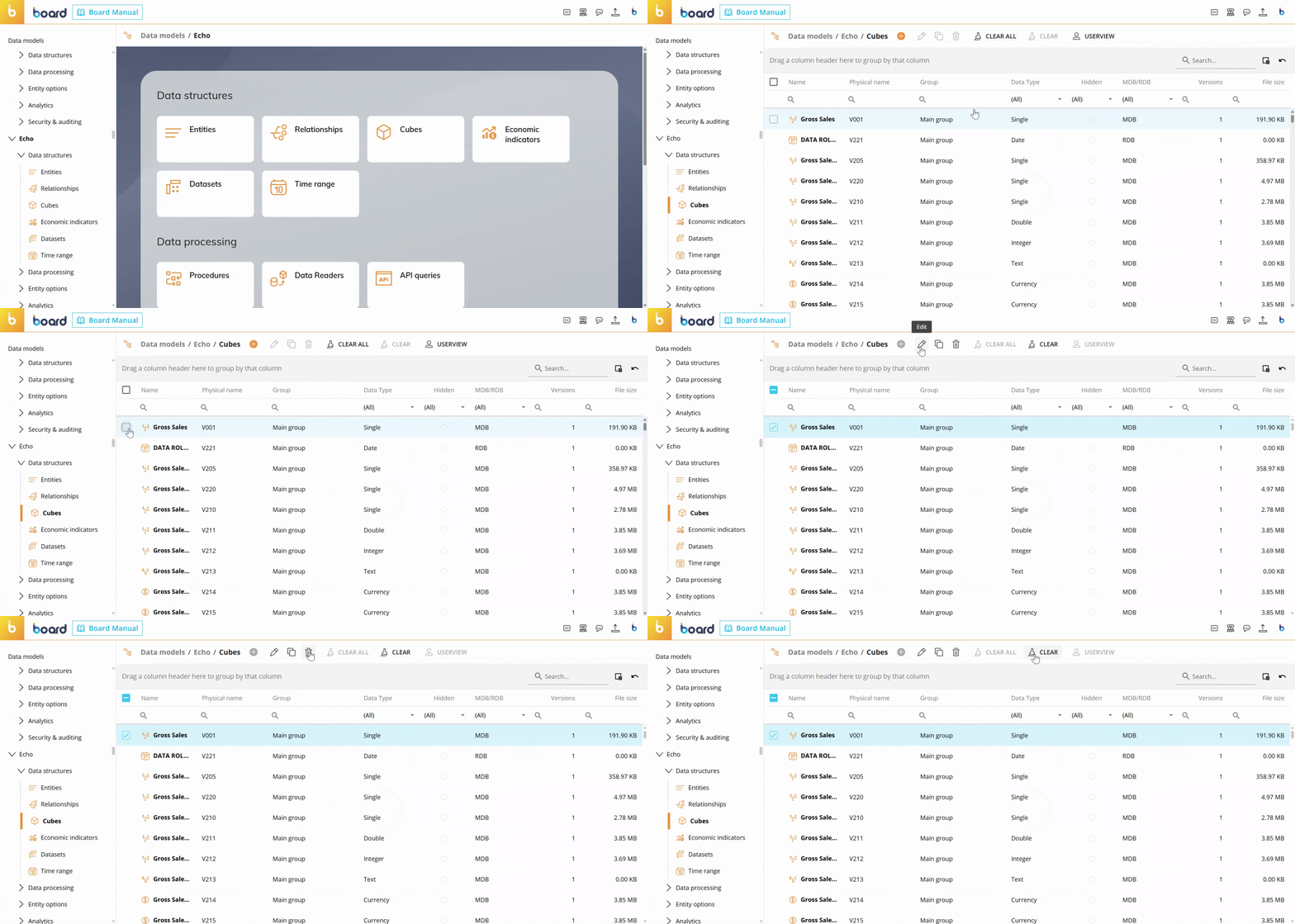
The Cube section of each Data Model in Board allows you to:
Switch to USERVIEW mode. The USERVIEW mode shows all Cubes by Group and allows you to reorder Cubes in a Group or move them to other Groups by dragging and dropping them anywhere in the list. The order you configure reflects the order in which the Cubes are presented to Planners in the Layout editor.
USERVIEW mode is only available when no Cubes are selected
Edit the primary structure of Cubes.
Manage Cube versions. Add, edit, and delete Cube versions.
Align versions of each Cube.
View Cube analysis. See where each Cube is used in Board (Data Readers, Dataflows, Screens, Procedures), which Entities are in the Cube primary structure, and which sparsities are used by the Cube.
Each time a Cube is created, Board creates a physical name for it. The physical name is then used to refer to the Cube across Board: reports, Procedures, Data Readers, and other Objects will all refer to a single Cube using its physical name. Changing the Cube name will not affect existing reports, Procedures, or other Data Model objects in any way.
You can perform actions on multiple Cubes by selecting them and using the different buttons above the Cube list, like edit, delete, and clear. When editing multiple Cubes, you can only edit limited details.
Read more about how to create a Cube and manage Cubes.
A Cube can have up to 256 versions. Generally most Cubes have only one version. You should add other versions only when you really need them: if that is the case, usually four or five versions are sufficient. Only very rarely are more than 12 versions needed. If you have more than 12 versions of a Cube, analyze if each version is really needed or not.