The Add-in Settings are available for all users.

Board M365 Excel Add-in provides users an "Add-in Settings" option in the top Board ribbon menu.
Clicking on the Add-in Settings option in the Board ribbon menu will open the Task pane as shown below.
Add-in Settings
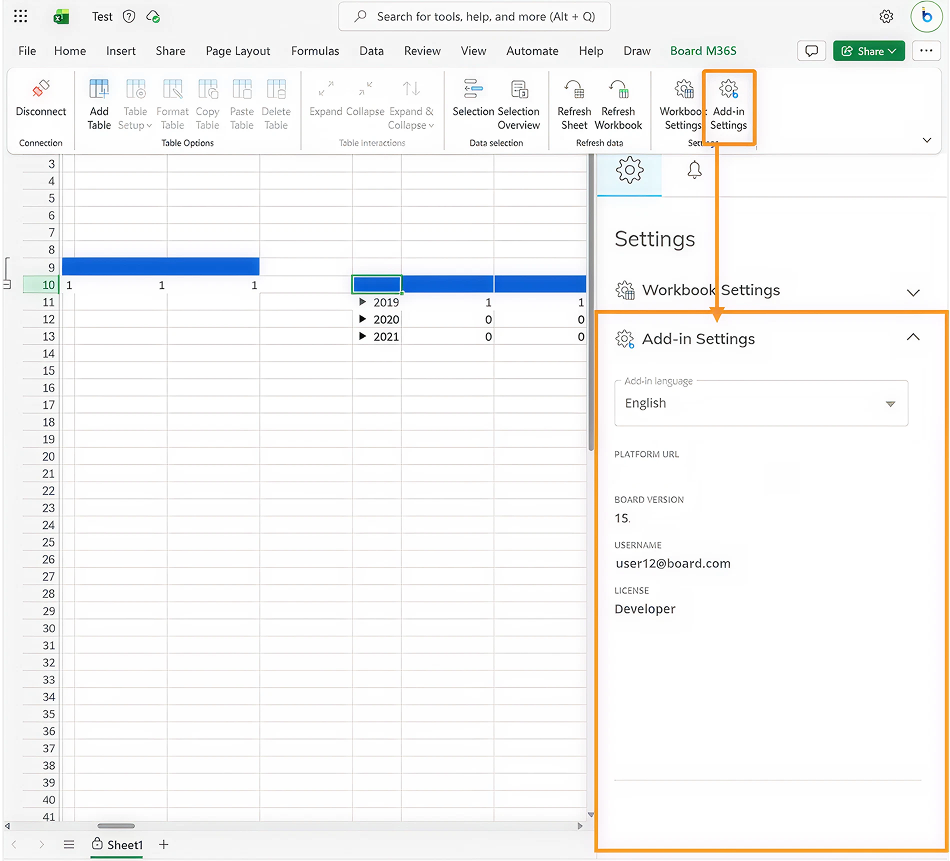
The following Add-in settings and information are available:
Add-in language. Only English is available at this time.
Platform name. Displays the name given to the Platform from the Sub Hub when editing a Board Platform.
URL. Displays URL of the Board Platform connected to the Add-in.
Board version. Displays the version number of the Board Platform connected via the Add-in.
Username. Displays the username logged into Board via the Add-in.
License. Displays the license type of the user logged in.