Introduced in Board 15, the following features enhance the management of author permissions and collaboration in Presentations:
Become an Author
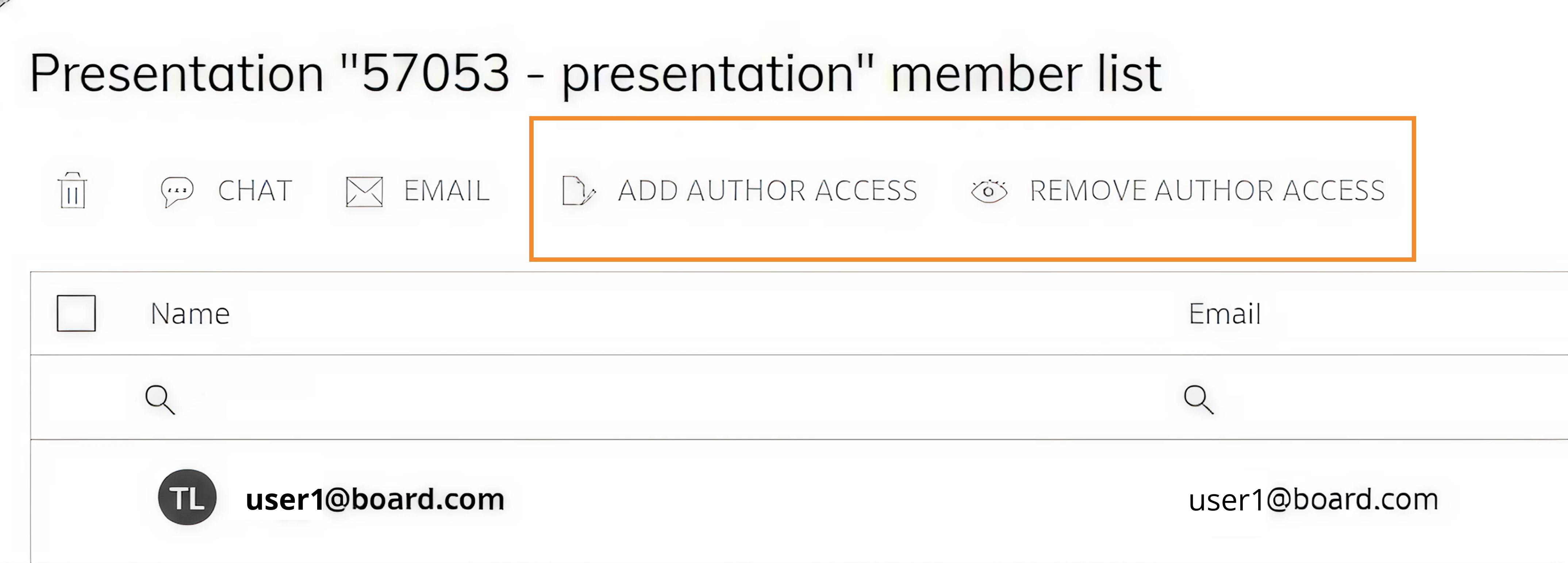
Add Author Access & Remove Author Access
Become an Author
The Become an Author feature allows an Administrator to assign author permissions to themselves for one or more Presentations. This option is available from the Presentations interface, either through the top menu in the grid or via the context menu of a selected Presentation. When executed, the Administrator is immediately granted author rights in addition to existing administrative privileges and joins any current authors. This capability enables direct content management and is particularly relevant when no active author is available or when maintenance and updates are required.
.png)
Author access management
Authors manage collaboration through the Add Author Access and Remove Author Access actions, accessible from the top bar of the Member List. These options are restricted to users with author permissions and allow them to grant or revoke author rights for users already included in the Presentation’s sharing list. This ensures that only authorized contributors can modify content and manage collaboration settings.
A Presentation must always have at least one author. As a result, it is not possible to revoke author access from the last remaining author or remove all users with author permissions. This constraint guarantees governance, ownership continuity, and proper management of Presentation content.