The "Total by" function allows you to aggregate Cube values at a higher level than the Entities configured in the Axes area of a Layout.
Use "Total by" when a Block must return a total for a broader aggregation level while the Layout continues to display more detailed data. This function is particularly useful for calculating percentages, ratios, and other indicators that compare a detailed value with its corresponding total.
Example
Consider a report that shows sales by City.
The Layout contains the following configuration:
The City Entity is set by row.
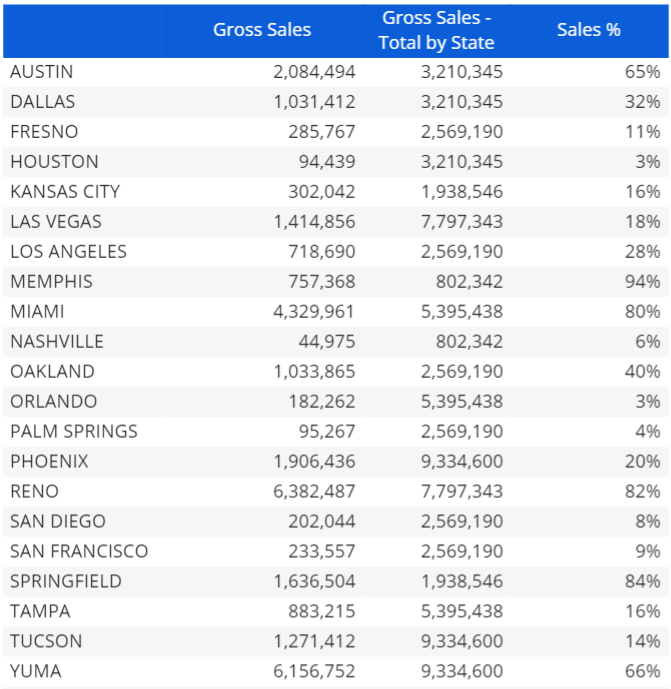
The first Block, "Gross Sales", shows the gross sales values for each City.
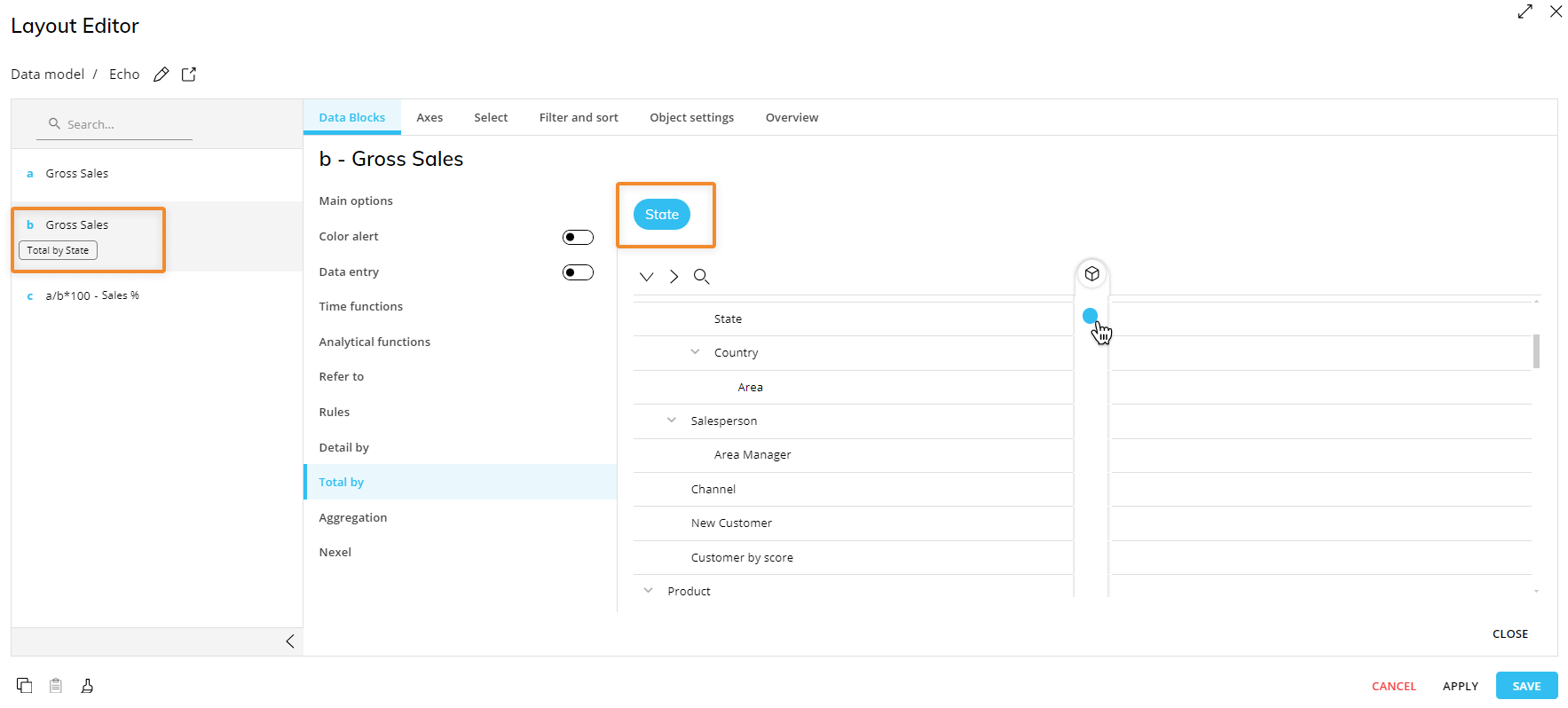
The second Block, "Gross Sales -Total by State", shows gross sales values with the "Total by" function applied to the State Entity.
The third Block, "Sales %", calculates the percentage of each City's sales compared with the total sales for its State.
Because City is set by row, the "Gross Sales" Block in the first column returns a different sales value for each City.
In the "Gross Sales -Total by State" Block, "Total by" changes the aggregation level. Instead of returning the gross sales value for the individual City, the Block returns the total gross sales value for the State that contains that City. As a result, all Cities belonging to the same State display the same State total in this Block.
For example, if several Cities belong to the same State, the first Block shows the individual gross sales value for each City, while the second Block shows the combined State sales total repeated for each of those Cities.
The following image shows the report:
The following image shows the corresponding configuration in the Layout Editor:
The "Sales %" Block can then use the values from the first and second Blocks to calculate each City's contribution to its State total:
City sales / State sales total
The "Total by" function therefore allows the second Block to operate at a higher aggregation level than the City Entity set by row. This makes it possible to compare detailed values with their related totals without changing the structure of the Layout.