This topic describes the Presentations section, the information it provides and its main features.
The Presentations section provides Administrators with a dedicated page that aggregates all of the Presentation configurations in one table, including metadata and audit information. The table is sortable and searchable using the interactive header fields. Administrators can view and delete the Presentations along with a complete audit trail of modifications. It is not used as an interface to create new Presentations, nor to copy existing Presentations (see About Presentations for more information).
This improves oversight and management of Presentation resources, and provides transparency and auditability to reduce the risk of outdated or unwanted Presentations lingering in the system.
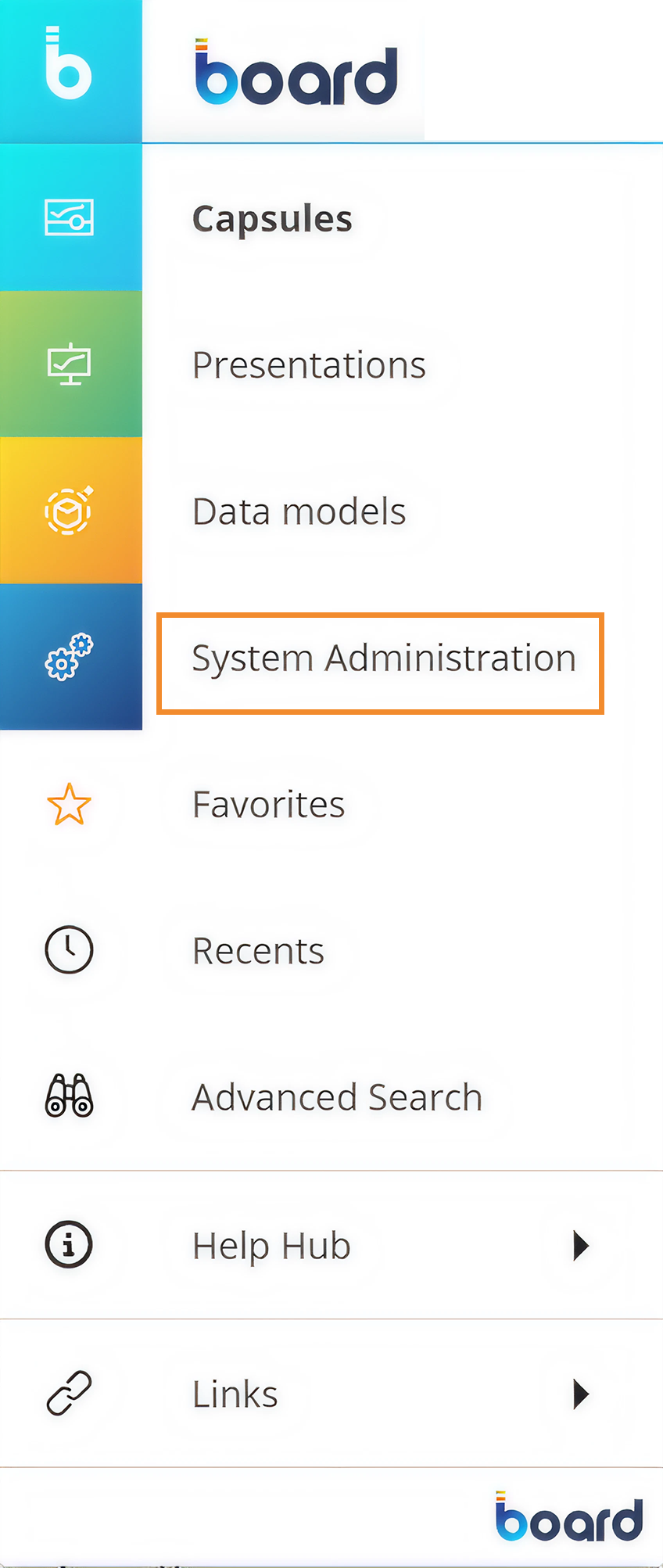
To access the Presentations section, open the Board Main Menu and click on System Administration.
The System Administration screen offers two methods to open the Presentations panel: either through the System Administration navigation menu on the left, or by clicking the Presentations tile in the middle of the screen.
.png)
The Presentations table is displayed using the same sort order and search filters as were applied last time the screen was opened. Reset or change these sort and filter customizations using the interactive header fields and ribbon icons.
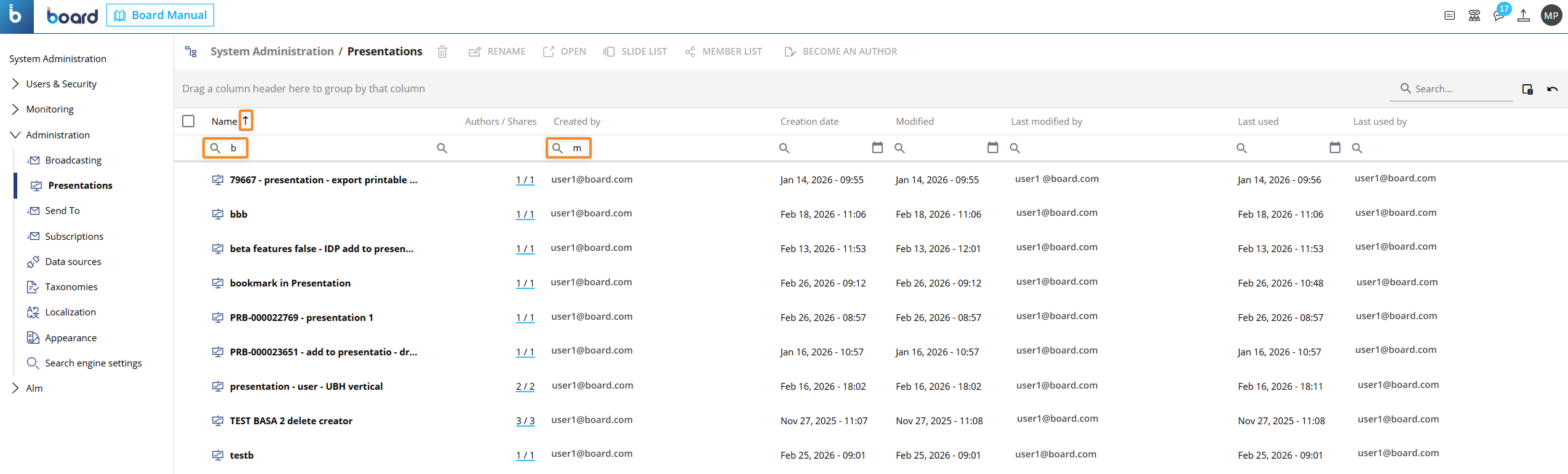
The table contains the following information:
Name. This column displays the name of the Presentation.
Authors/Shares. Sort authors and collaborators in ascending or descending order.
Created by. Who created it.
Creation date. Date it was created.
Modified. Date it was last modified.
Last modified by. Who last modified it.
Last used. Date it was last used.
Last used by. Who last used it.